|
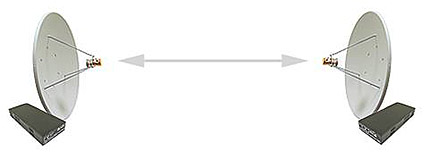
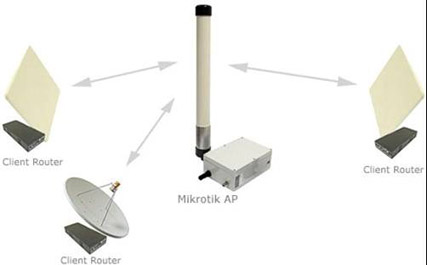
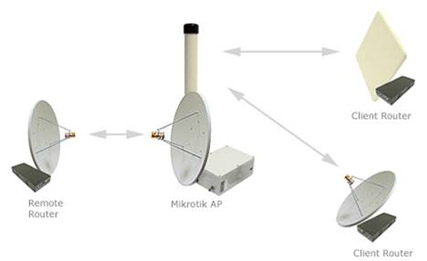
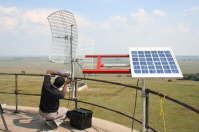
High-speed wireless systems are used to provide internet access to end-users using point-to-point or point-to-multipoint architecture. Wireless data links take place where there is no infrastructure for internet access or in places where bandwidth offered by current channels is too low. With our wireless equipment you can get high bandwidth on a very long distances at very reasonable price. Our equipment provides various features including firewall, NAT, VPN, Bandwidth Management, QoS (Quality of Service) and many more..
Why choose Mikrotik?
Cost effective solution High-speed wireless data links (Up to 108Mbps) Connection distance up to 130 km without repeater sites. IP - NAT, Routing, DHCP Security - Firewall, Secure Tunnels Control - Queues, Proxy, Accounting, HotSpot Fast and simple installation for base station and clients Reliable and instant 24 hour internet access
Basic requirements to create a wireless links are:
Direct line of sight between both points of presence Distance between points of presence is: Use of 2.4 or 5.2-5.8 GHz solutions according to the local regulations. In some countries obtaining a special license might be required.
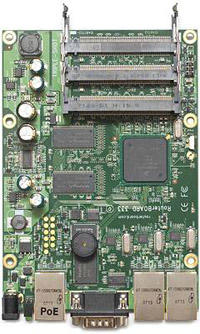
Our wireless systems come with Mikrotik RouterOS software preinstalled. RouterOS will enable you to use many features such as: firewall, NAT, bandwidth management, different kinds of tunnels, HotSpot and others.
|
|
|
Nstreme and Nstreme2
These are MikroTik proprietary wireless protocols to achieve outstanding performance on a very long range links. Regular wireless links will have large time delays for data traveling on a long distances, with nstreme you do not have to worry about this anymore.
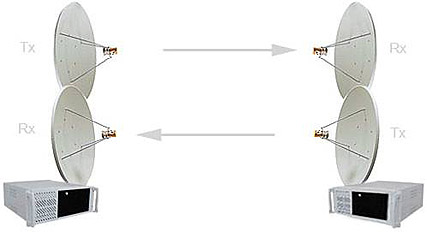
Nstreme 2 goes even further by using two wireless cards in each end - one for transmit and one for receive.
Our customers have links of 60 km and speed of 35 Mbps without turbo mode.
|
|
WDS
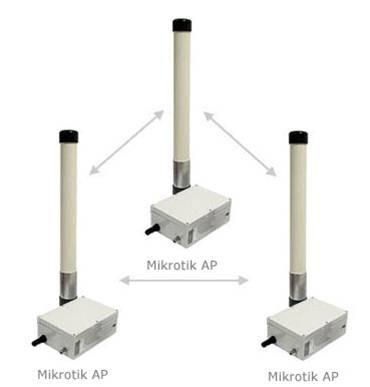
WDS (Wireless Distribution System) is the best way to interconnect many access points and allow users to move around without getting disconnected from network. Using this system you can cover large areas and allow users to move for large distances while still being on-line. This system allows packets to pass from one wireless AP (Access Point) to another, just as if the APs were ports on a wired Ethernet switch. APs must use the same standard (802.11a, 802.11b or 802.11g) and work on the same frequencies in order to connect to each other.
|